Gemini Notebook (NotebookLM): What It Is and How to Use It
NotebookLM is now Gemini Notebook. Learn what it does, how to add sources and ask cited questions, what the free limits are, and how it handled our short Urdu test.
What is NotebookLM, and how do you use it?
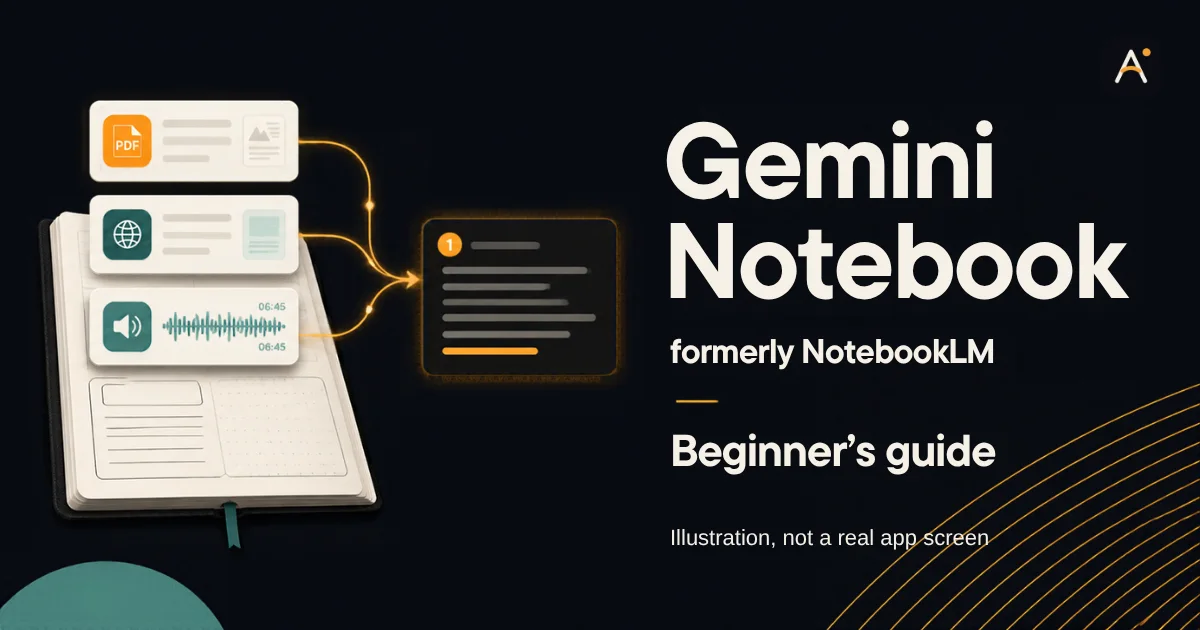
NotebookLM is now called Gemini Notebook. It is Google’s AI research tool that works from sources you add, such as PDFs, web links and notes. Create a notebook at notebook.google.com, add your sources, ask a question, then open the numbered citations to check each answer.
If you searched for NotebookLM and landed on a page that says Gemini Notebook, you are in the right place. Google renamed the tool on 16 July 2026 and describes it as the same standalone product. This guide shows what it is useful for, how to start, what the free plan allows and where you still need to check its work. An Urdu version of this guide is also available.
How this guide was checked: Features and limits were read on Google’s help pages on 5 November 2026. We also ran one short chat test that day in desktop Chrome from Italy, on an account showing a PRO badge, using a fictional source we wrote. We did not test the free plan, the mobile app, large files or Audio Overviews. The copy-ready prompts are teaching samples we have not run.
What Gemini Notebook is good at
A general chatbot answers from its model and, sometimes, the web. Gemini Notebook starts from the material you choose. Google’s help page describes answers grounded in your sources, with in-line citations. That makes it a strong fit when the question is “what do these documents say?”
- Students: turn lecture notes or a chapter you are allowed to use into a study guide, quiz or flashcards.
- Researchers and writers: compare several reports and jump back to the passage behind a claim.
- Small sellers: keep your own policies and supplier notes in one place, then look up an answer quickly.
- Creators: pull an outline from your own transcripts and research before you write.
It is a weaker choice for live news, for writing that needs no source, or for facts your documents do not contain. A citation shows where a statement came from. It does not prove the source itself is correct.
How to use Gemini Notebook, step by step
- Open the official siteGo to notebook.google.com and sign in with your Google Account. Old notebooklm.google.com links are widely reported to redirect, but type the new address if you are unsure.
- Create one notebook per projectSelect New notebook. Keep one subject or task in each, because unrelated sources make retrieval harder.
- Add your sourcesIn the panel we saw, the choices were Upload files, Websites, Drive, Copied text and others. Start with one or two documents you know well, so you can spot mistakes.
- Choose which sources to useTick only the sources relevant to the question. Google suggests naming a source in your question when several are selected.
- Ask a specific question“Summarise this” works, but “What are the three main causes in chapter 2?” gives Notebook a clearer target.
- Open the citationsSelect the numbered markers and read the original passage before you rely on an answer.
- Make study material if you need itThe Studio panel we saw listed Audio Overview, Video Overview, Slide Deck, Mind Map, Reports, Flashcards, Quiz, Infographic and Data Table. Options can differ by plan and device.
Which sources can you add?
| Source | What Google says to expect |
|---|---|
| PDF, Word, text, Markdown, CSV, PowerPoint, ePub | Uploaded as files. Each source can hold up to 500,000 words or 200MB. |
| Google Docs, Slides, Sheets | Imported from Drive and synced. Slides are limited to 100 slides, and Sheets to 100k tokens. |
| Web links | Only the page text is imported. Images, embedded videos and paywalled pages are not. |
| YouTube links | Public videos with captions. Only the transcript is imported, so visuals are not read. |
| Audio files | Transcribed on import. Urdu is on Google’s list of supported audio-import languages. |
| Copied text and images | Paste text directly, or upload supported image types. |
Google also tells users to avoid uploading documents they do not have the rights to use. That matters for paid books, course material and confidential files from work.
Our test: one fictional source and three Urdu questions
We pasted a short Urdu policy for an invented shop, “Noor Book Shop”, then asked three questions in Urdu. The policy said: returns within 7 days if the book is undamaged, no returns on old textbooks, delivery in 2 days in Lahore and 4 days elsewhere.
| Question type | What happened | Result |
|---|---|---|
| Answer stated in the source: return period and excluded books | Replied in Urdu with 7 days, the condition and old textbooks, plus citation markers | Correct |
| Small inference: normal delivery time for a customer in Islamabad | Said 4 days, because Lahore is the only exception, with a citation | Correct |
| Answer missing: phone number and owner’s name | Said these details were not in the notes and did not invent them | Correct |
Three correct replies on a tiny document are encouraging, but they are not a measure of accuracy. A long scanned PDF or a messy Urdu file could behave differently. One practical note: wait for each reply to finish. A question we typed while Notebook was still responding was not sent.
Three prompts you can adapt
Replace the square brackets. Use them only with sources you have the right to upload.
Using only the selected sources, explain [topic] in simple language.
Then write 5 short quiz questions with answers.
Tell me if the sources do not cover part of the topic.
Compare what [source A] and [source B] say about [question].
Use a table with three columns: point, source A, source B.
Mark any disagreement, and do not add outside information.
Is source ka khulasa aasan Urdu mein 6 nukaat mein likhein.
Technical alfaaz ko English mein bhi rakhein.
Jo baat source mein nahi hai, us ke baare mein andaza na lagayein.
For more on structure, read how to write a clear AI prompt.
Does it work in Urdu?
Google says Gemini Notebook supports more than 80 languages, and Urdu appears on its Audio Overview language list. By default, the output language follows your Google Account’s preferred language. Our chat test confirmed Urdu replies to Urdu questions from an Urdu source. We did not test Urdu audio.
Two English-only limits are worth knowing. Google’s help page says interactive mode for Audio Overviews is available only in English, and it marks the Longer audio length as English only.
Is it free, and what are the limits?
| Item | Plan without an upgrade (checked 5 November 2026) |
|---|---|
| Notebooks | 100 per user |
| Sources | 50 per notebook |
| Size of one source | Up to 500,000 words, or 200MB for an upload |
| Usage | Compute-based. The allowance refreshes every 5 hours until you reach a weekly limit. |
Older guides often quote fixed daily counts for chats and audio. Google’s current usage page describes a compute-based system that depends on your prompt, model, features and chat length, and it warns that limits may change. To see your balance, open Settings and then Usage. Paid Google AI plans raise the limits, so check the official plans page before paying for anything.
Privacy and accuracy checks
- Google says personal-account data is not used to train Gemini Notebook unless you give feedback. If you do, Google may review your queries, uploads and the responses.
- Do not upload ID documents, passwords, bank details, private client files or anything you cannot lawfully share.
- Treat every answer as a draft. Google itself says the tool can make mistakes, and it advises consulting a qualified professional for medical, legal or financial advice.
- Re-check generated audio, slides and reports. Google warns that Audio Overviews may contain inaccuracies, and generated outputs do not change when you later edit or delete a source.
Frequently asked questions
Are NotebookLM and Gemini Notebook the same?
Yes. Google says it renamed NotebookLM to Gemini Notebook on 16 July 2026 and that it remains the same standalone product. Many people and older tutorials still use the old name.
Is Gemini Notebook available in Pakistan?
Pakistan was on Google’s supported countries list for the browser version when we checked on 5 November 2026. The mobile app has a separate list, which we did not check for this guide.
Can I use it on a phone?
Google offers a mobile app and warns that some features may be limited there. We tested on desktop only, so we cannot confirm the phone experience.
Is it better than ChatGPT?
They suit different jobs. Use Gemini Notebook when the answer should come from documents you chose. Use a general assistant such as ChatGPT for open-ended drafting and brainstorming. We have not run a head-to-head comparison.
Can it read my whole book?
It can handle long sources within the size limits, but you need the right to upload the book. Google asks users to respect copyright and avoid documents they have no rights to.
What to learn next
- How to use Canva AI on the free plan: turn your notes into a simple visual.
- How to use ChatGPT: a beginner’s guide to a general AI assistant.
- AI tools: more practical guides.
Sources
- Google: NotebookLM is now Gemini Notebook (16 July 2026)
- Gemini Notebook Help: Learn about Gemini Notebook
- Gemini Notebook Help: Add or discover new sources
- Gemini Notebook Help: Plans
- Gemini Notebook Help: Usage limits
- Gemini Notebook Help: Audio Overview
Last checked: 5 November 2026. Google changes this product often, so confirm limits and features on its own pages.